
The Wire Check
In stock Node-RED, any output can wire into any input. A node that emits { payload: "hello" } connects happily to one that expects a number — the editor draws a clean wire, the deploy succeeds, and the mismatch only surfaces at runtime, on the message that hits production at 3am.
nrg closes that gap. Because a node's ports are typed (Port<T>), nrg can compile your whole flow and ask the TypeScript compiler whether each connection actually type-checks — then list the wrong ones in a Type errors tab and paint them red on the canvas, before the flow ever runs.
See it
The same three nodes, wired two ways. On the left every wire type-checks; on the right the middle node was removed, so invoice no longer receives the customer it reads — and that connection is flagged the moment you deploy: listed in the Type errors tab and painted red on the canvas the instant you highlight it.
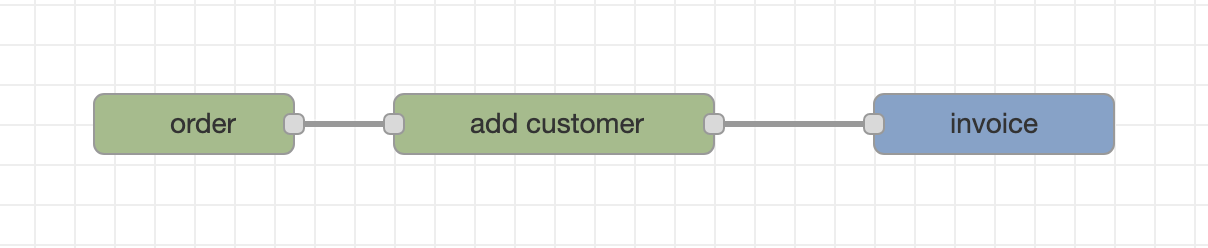
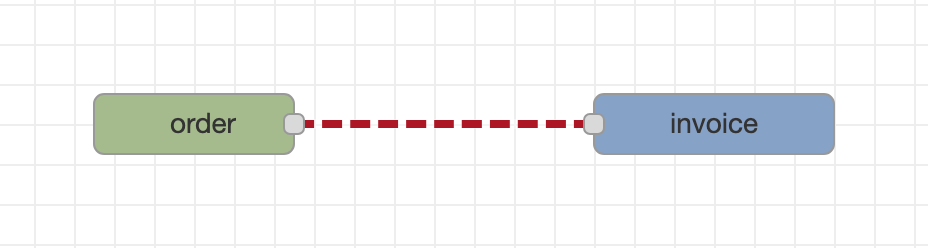
invoice reads customer, but nothing upstream adds it.The Type errors tab
Every deploy re-checks the whole flow and lists each failing connection in a Type errors sidebar tab — one row per source → reader route, with the exact TypeScript error underneath. The canvas is left clean until you ask, so a large flow stays readable and you inspect one problem at a time.
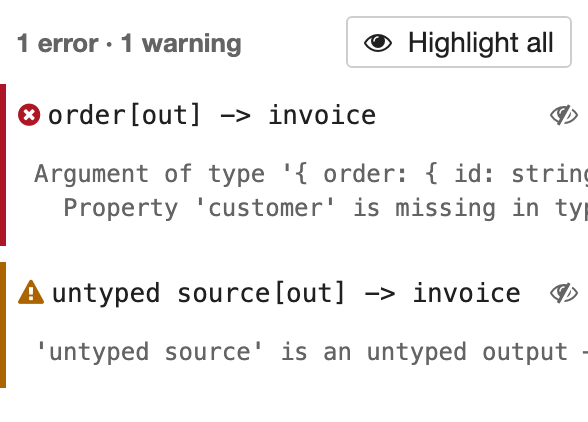
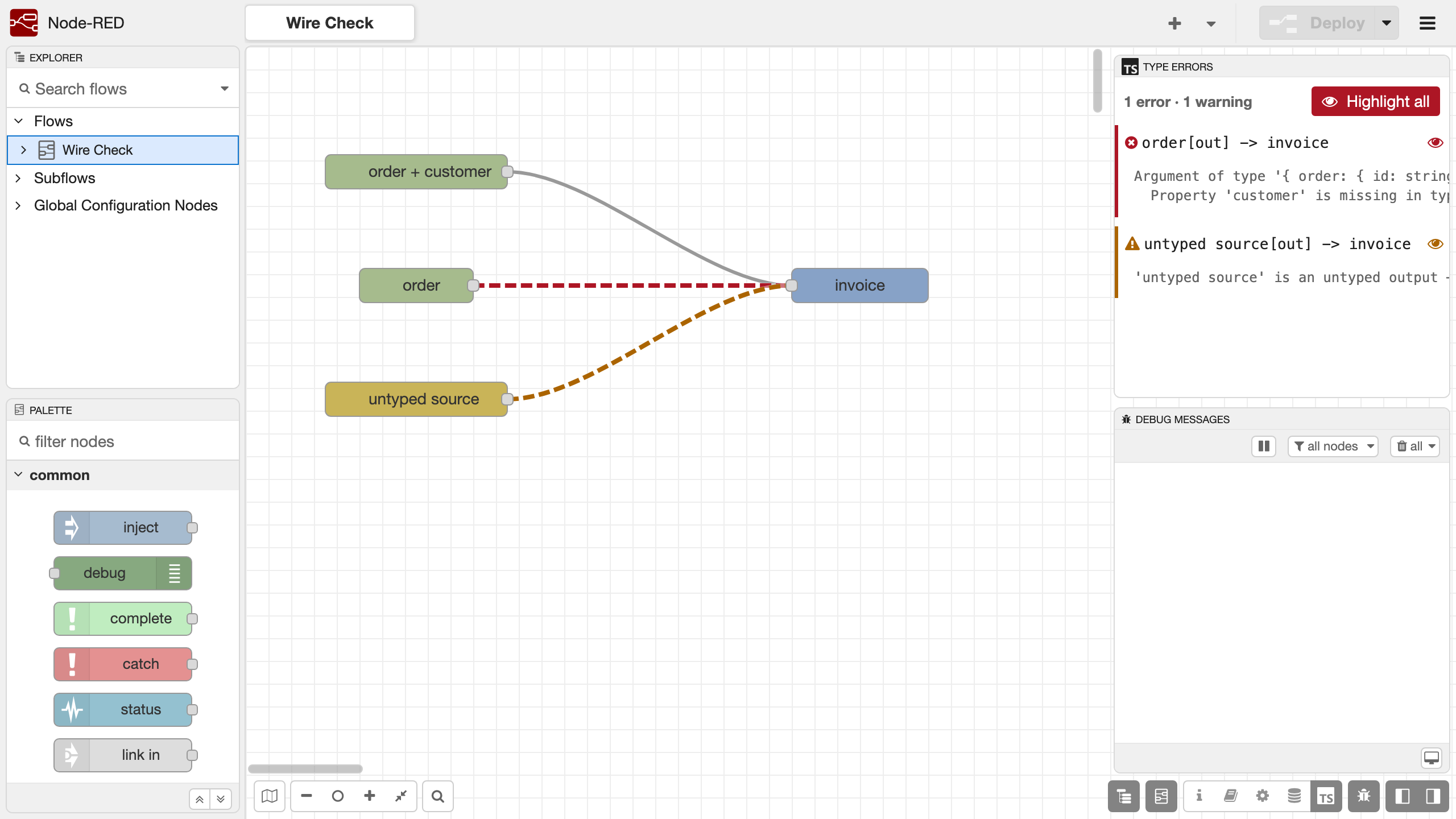
tsc message.Click a row's eye to highlight that connection: its wires paint red (or yellow, for an unchecked boundary) while the rest of the flow dims away, so you see exactly which path is wrong. Highlight all, at the top, paints every failing and unchecked wire at once.
How it works, in one breath
- Your node's input
Port<T>declares the fields it reads; its outputPort<T>declares the fields it adds. See The Message Model. - On every deploy, the whole flow is compiled into a program and handed to
tsc. A wire passes when the record arriving at the target carries every field the target reads — with a matching shape — whether that field was added one hop back or several. - Failing connections are listed in the Type errors tab; highlight one (or Highlight all) to paint its wires red on the canvas. Connections that can't be fully checked (an untyped or non-nrg endpoint) show yellow-dashed but stay valid.
This is a deploy-time, whole-flow check — not a per-wire, while-you-drag one. Under the accumulating-record model a wire's validity depends on the entire path feeding its target, so the honest moment to check is when the graph is complete. The next page walks through every verdict with examples.
Turning it on
The wire check ships as a standalone, opt-in dev dependency — the @bonsae/node-red-type-check-plugin (a server engine plus the editor canvas painter). Install it and nrg dev loads it automatically:
npm install --save-dev @bonsae/node-red-type-check-pluginWithout it, nrg dev runs exactly as before — the check is simply off. It never runs in a production Node-RED; it's an authoring-time safety net.
Resolved from your own project
The dev launcher resolves the plugin from your project's node_modules — it is not bundled with the @bonsae/nrg toolkit — so install it in the package whose nodes you're building, and keep it on the version paired with your nrg release. If it isn't installed, the launcher logs that it was skipped and carries on; the check simply fails open, never blocking a deploy.